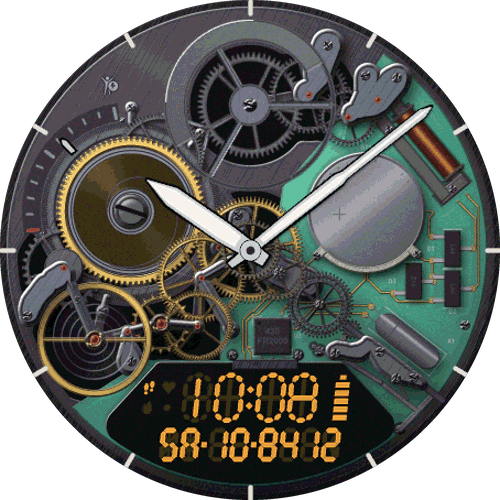
My Day 24
Your whole day on one 24-hour dial - daylight, sleep and heart rate around the time.
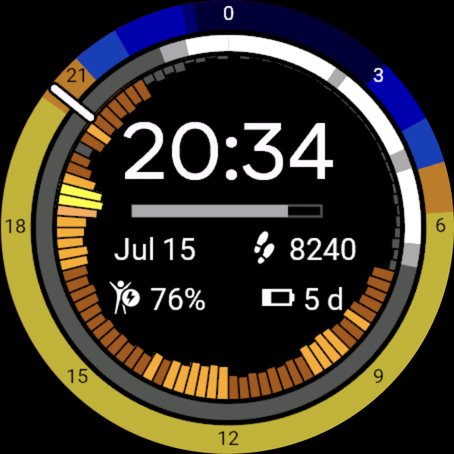
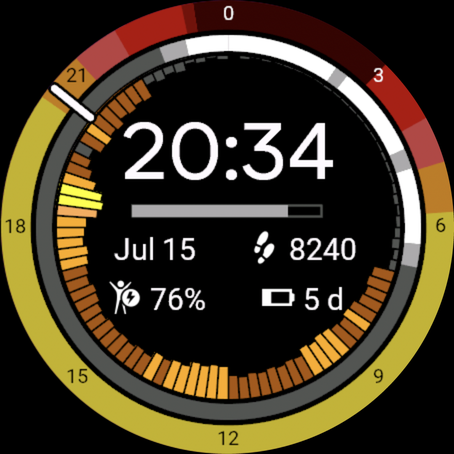
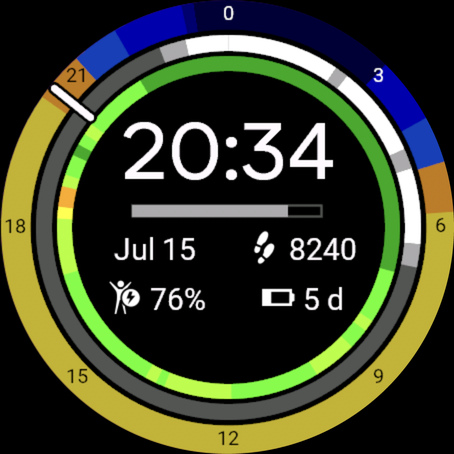
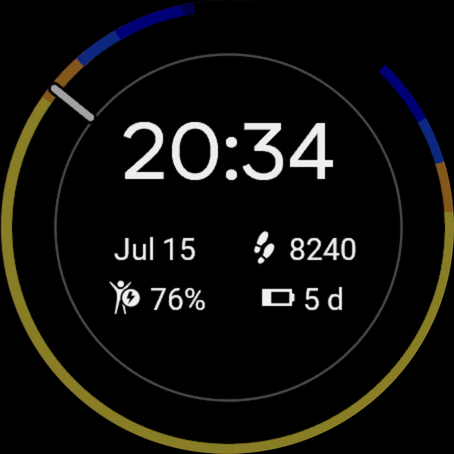

The original My Day 24 - a 2017 Connect IQ Developer Award nominee - rewritten from scratch for today's watches. Your whole day on a single 24-hour dial: daylight, sleep and heart rate as three rings around the time.
- Sun ring: your real sunrise and sunset, so one glance tells you how much daylight is left.
- Sleep ring: the hours you actually slept, with deep and light sleep in different shades.
- Heart-rate ring: the last 24 hours of your heart rate in your own zones - as a histogram, an area or a circle.
- In the middle: the digital time, four data fields and a step-goal bar.
- Sunrise and sunset come from Garmin weather - no waiting for a GPS fix.
- 12 fonts, five sun palettes, six heart-rate palettes, hour 0 or 12 at the top of the dial.
What users said about the original
As a photographer, I have to understand the light, and this face provides all the info I need in a very aesthetic way. I have been using it for years, and it works flawlessly.
The single best Garmin watchface for combining daily insight into overall activity with sleek, elegant design. The most mindful design on the Connect store.
Best watch face. I love how it shows the sun and the night in the 24h circle around the watch face.
Frequently asked
Why is no sleep detected?
The face measures sleep by itself, from the accelerometer, in a small background process. Garmin runs that process only for the face that is on the screen, and most newer Garmins swap to a minimal system screen at bedtime. From that moment no samples arrive, and there is no way to get that night back afterwards. On the watch, go to Settings > System > Display > During Sleep > Watch Face and keep the default (Don't Change). On Fenix watches the same option is under Focus Modes > Sleep, on Forerunners under System > Sleep Mode. Also note the ring needs one night of data - the first night after installing it is still empty.
What does the sleep detection sensitivity do?
It sets how much hand movement the detection tolerates. At a high sensitivity, small movements already count as light sleep or end the sleep; at a low one, a restless night still counts as sleep. The default suits most people. If your sleep is not detected, try a lower sensitivity; if the face shows sleep while you were awake, try a higher one.
What do the two no-sleep hours mean?
Between those two hours (8:00 to 21:00 by default) the face never records sleep. This keeps a quiet moment during the day - twenty minutes without moving your hand - from showing up as a nap. If you work nights or nap regularly, shrink that window in the settings.
A small one-time purchase, yours forever. Garmin refunds any purchase within 48 hours.
Questions or wishes? support@tomasslavicek.cz
More dials and instruments