Avionis: designing a glass cockpit for a Garmin watch
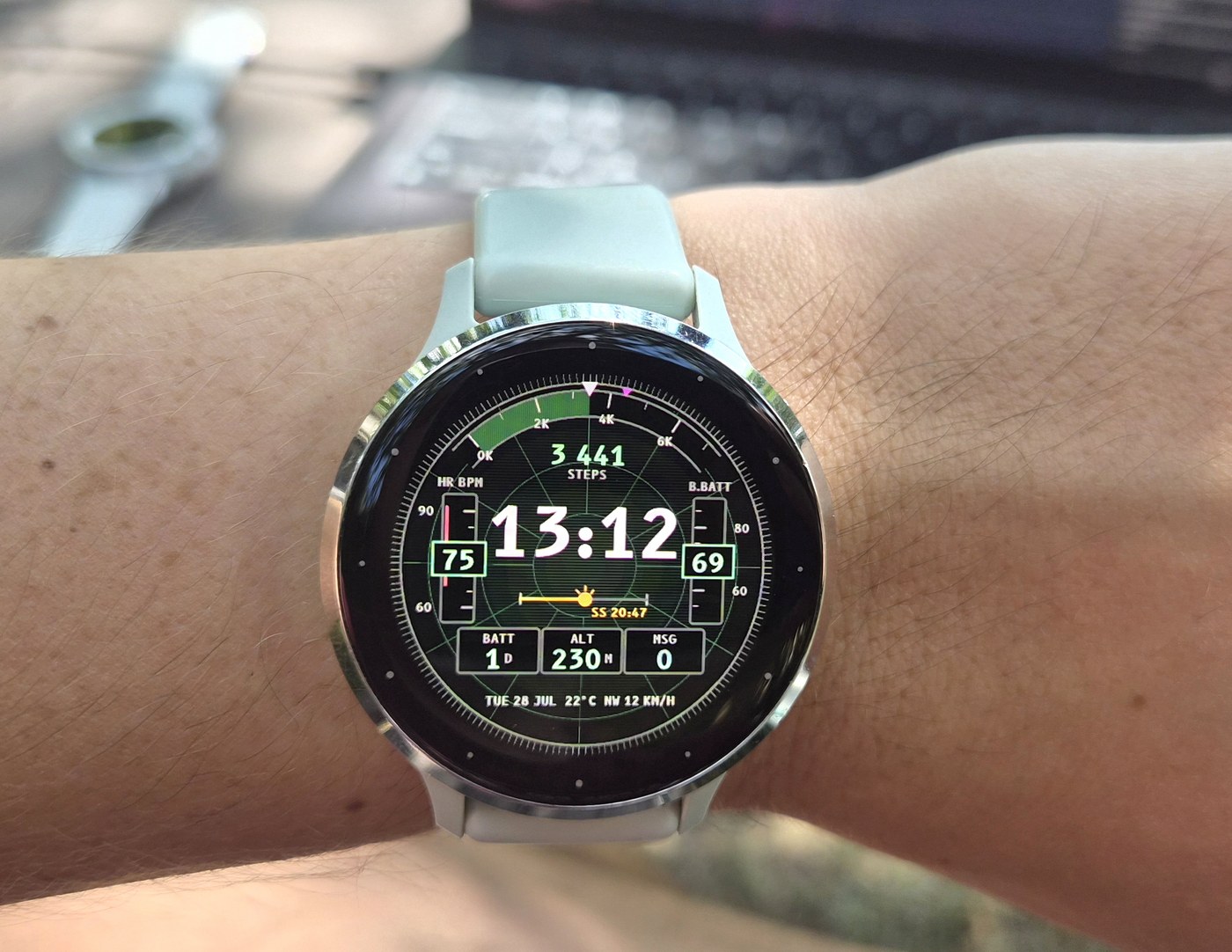
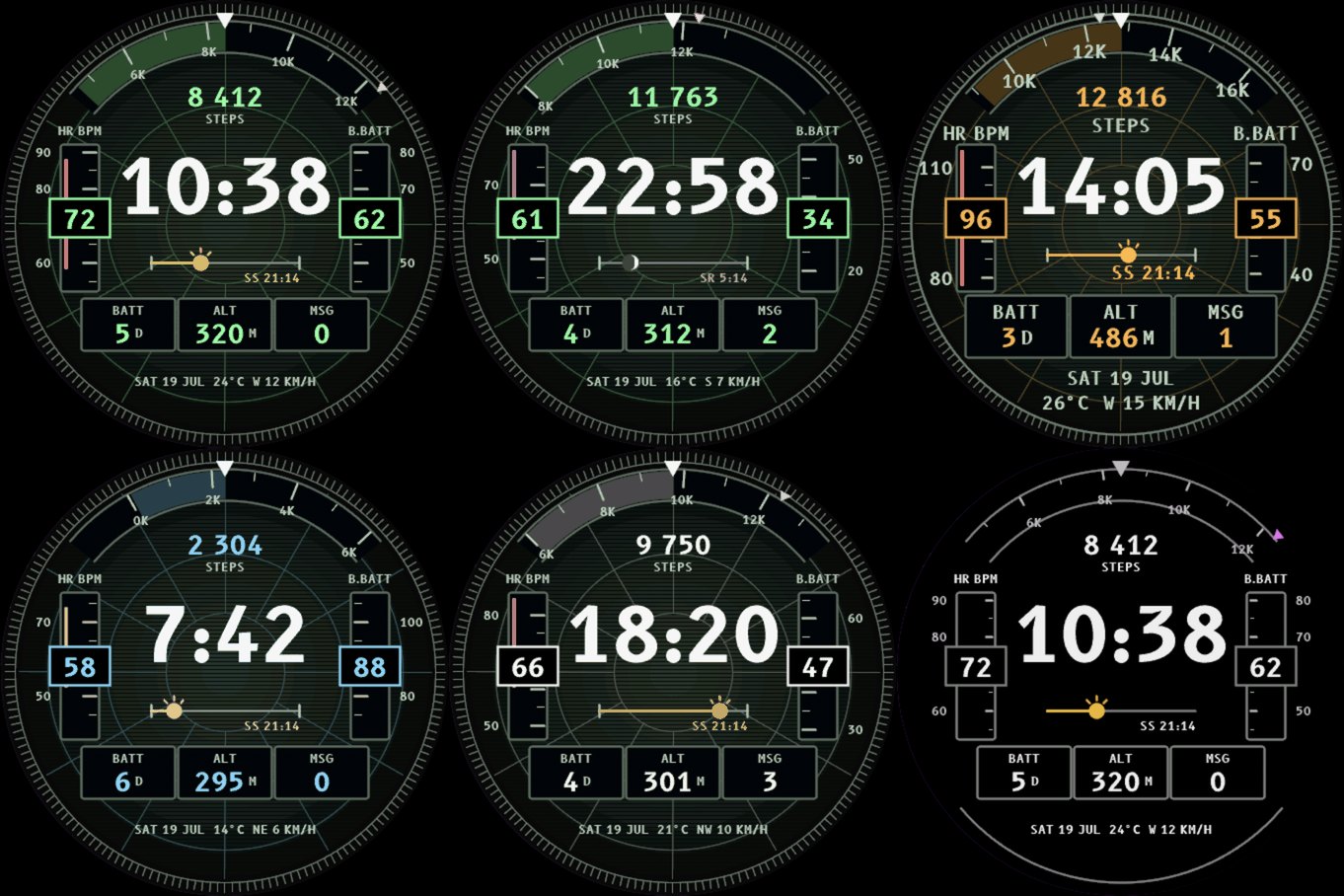
A primary flight display puts speed and altitude on two vertical tapes. The scale scrolls, the value box stays fixed on top of it, and the box hides the piece of scale under it. Avionis runs heart rate and Body Battery on tapes like that, and keeps the same arrangement.
Steps take an arc across the top of the glass, where a flight display carries its heading scale, and the goal sits on that arc as a magenta chevron, the shape and the colour a cockpit uses to mark the course you are meant to be on. Under the time there is an amber day line from sunrise to sunset with the sun riding it, and at night a crescent moon in its true phase. Along the bottom runs the pilot brief: date, temperature, wind direction and speed.
The idea and the typeface
Data on a watch face is nearly always pods bolted onto a background. I wanted the data display itself to be the design language, and a pilot's panel is exactly that, a system argued over for decades by people who had to read it at a glance in bad light. Garmin is an avionics company too, and the fenix and tactix crowd reads the language natively. The only thing I had to change was the subject, from speed and altitude to the wearer.
The typeface came with the idea. B612 Mono is the cockpit typeface Airbus commissioned and released under an open licence. It was drawn to stay legible on a screen in bad conditions, which is the job of a watch face as well, and its digits are strictly monospaced, so the time never shifts as it counts.
Three directions, five rounds
The face began as one of three directions for a data-rich watch face, all three drawn by one script from the same sample state. Traces, the day as four sparklines, went out in the first review, and Ledger, the editorial broadsheet, was parked. Five rounds in one morning turned the cockpit into a face: bigger numerals, a surface under the instruments, and three static cues that say the dial moves even in a screenshot. The surface began as lit brushed metal and did not survive, because it was "too polished, the background gradient reads as product design", so I told myself to "fine-tune, don't polish" and the panel ended flat and near black, with a faint centre glow, a dim phosphor grid and a machined bezel ring.
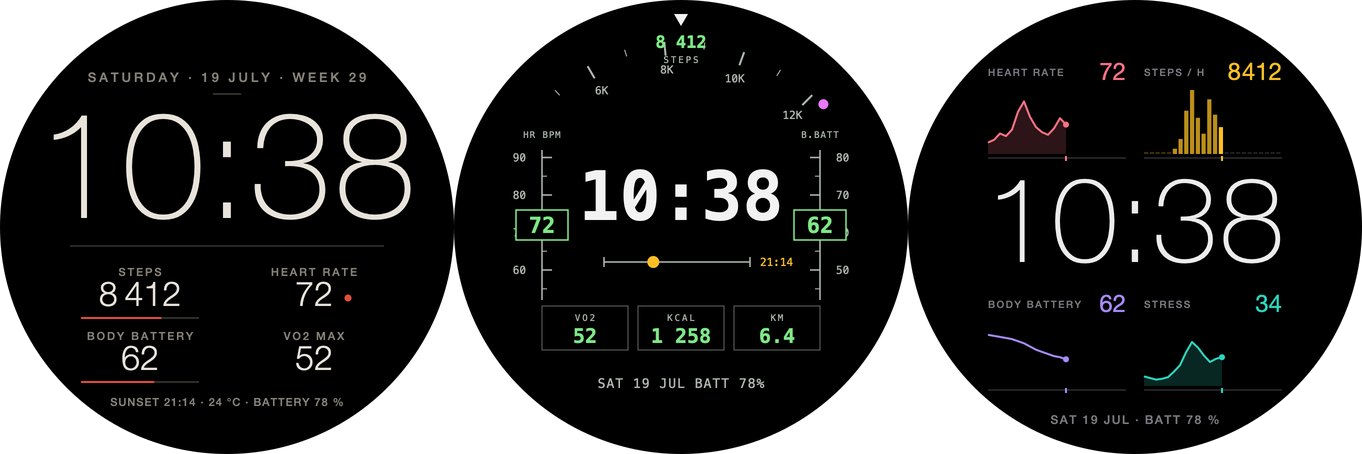
There is no way to install a typeface on a Garmin watch, so every size on this dial ships as a picture of its glyphs, three cuts of B612 for each of the four screen-size groups the watches fall into. The reflective 64-colour screens of a fenix Solar get their own cut, with every pixel either on or off, because antialiasing baked into a bitmap font reads as blur on a panel like that. Their smallest labels are a 5x7 dot matrix drawn for the purpose, since an outline font has nothing left at eight pixels of ink.
The rules came from the wrist
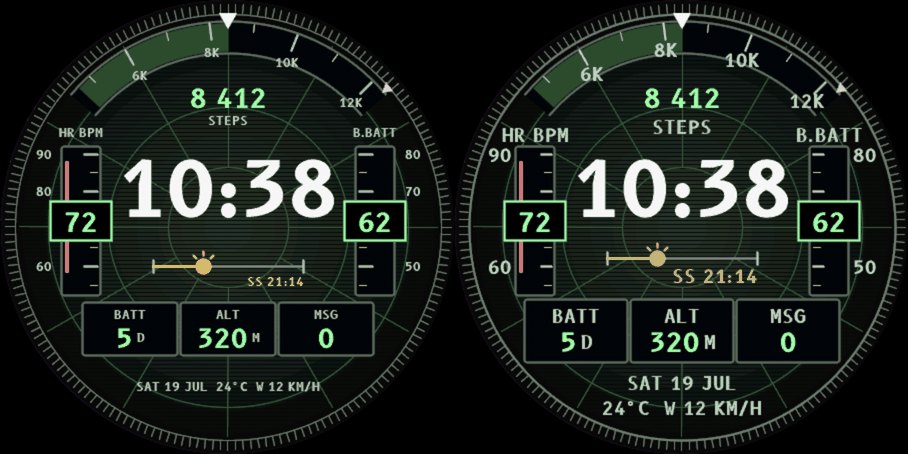
The simulator lies about how dark an AMOLED watch is. I photographed the face on a Venu 3S and put the photos beside the sim renders, and the real panel crushes the darkest greys to black and every one-pixel hairline to nothing. So the glow, the graticule, the bezel greys, the well edges and the day line all came up a notch, and structural hairlines went to two pixels. What I wrote at the end of that pass was that if it looks slightly loud in the sim it is right on the wrist, and that I should never re-dim from a screenshot.
The always-on frame failed the same test worse. Its ink was two dark greys, both of which crushed to black, and that left the numbers hanging in space with nothing behind them. It draws its structure and its scale numerals in a light grey now, keeps the arc labels lit, and carries a horizon arc out at the bezel rim, so the frame reads as a round instrument rather than text on black. Waking it is that instrument powering up, the ticks growing to full length and the grey ink warming to phosphor, and the frame stays under 8% lit pixels, which is the always-on light limit I allow myself.
What buyers asked for
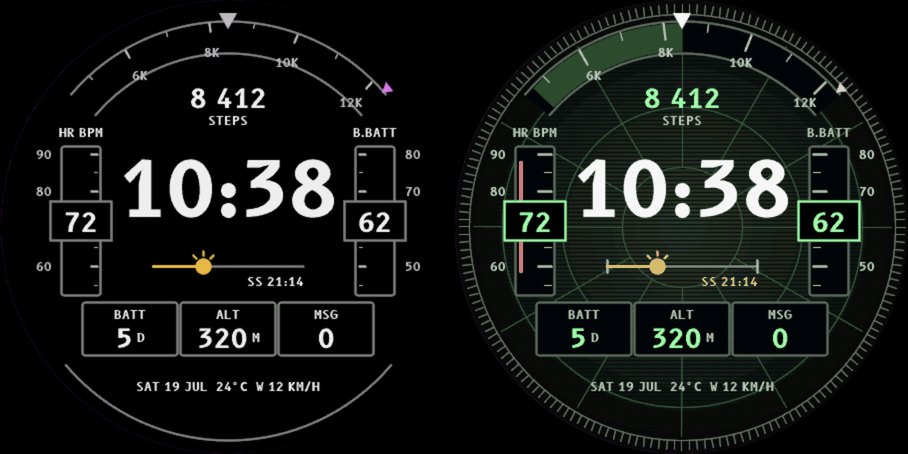
Three buyers in a row wrote in to say they could not read the small text. "The date on the bottom is way too small even on a Fenix 7X." "Your chosen fonts are way too small for my ageing eyes." The answer was a Text size setting whose Large option grows the label cut only, because the tape's value box cannot get any wider without touching a 24-hour 22:58 in the middle of the screen.
One problem arrived the other way round, from the watches. Reading Garmin ERA crash reports turned up eight hits over two days on seven different watches, most of them on the line that sets the width of the steps arc from the screen size, which can come out under a pixel. The width is clamped now.
The gallery
Every store shot is a staged scene compiled into the build rather than a live capture, so the time of day, the sun, the weather, the data blocks and the theme agree with each other in every frame. The simulator is set to metric first, after one take came out in Fahrenheit and miles per hour beside five metric shots and looked like a different app.
Avionis on this site, or on the Connect IQ store.
Frequently asked questions
Can I change what Avionis shows?
Yes. Each tape picks its own source: heart rate, Body Battery, watch battery, stress, Pulse Ox or respiration. The goal arc tracks steps, floors climbed or intensity minutes. The three blocks along the bottom are data fields you choose, and a long press on one opens its app. The pilot brief can be full, date only or hidden, and the panel comes in four phosphor colours: green, amber, ice blue and white.
The author builds the My Day 24 watch face family. Published 2026-07-22, updated 2026-09-10.